

HOW TO Create a Custom “Share Publication” Button in Welcome Emails (Where It’s Not an Option by Default)

You’ve crafted nice welcome emails for both your free and paid subscribers, but there’s just one thing missing.
You want to add a “Subscribe to Publication” button so your subscribers can share your newsletter with their friends right from their emails—but the button is nowhere to be found.
I’ve been there, too. I also wondered why I couldn’t add it from the dropdown menu at the top, like I can in regular emails I send to my subscribers.
The good news? You can add it to your welcome emails, and I’ll show you how in a few simple steps.
How to Do It
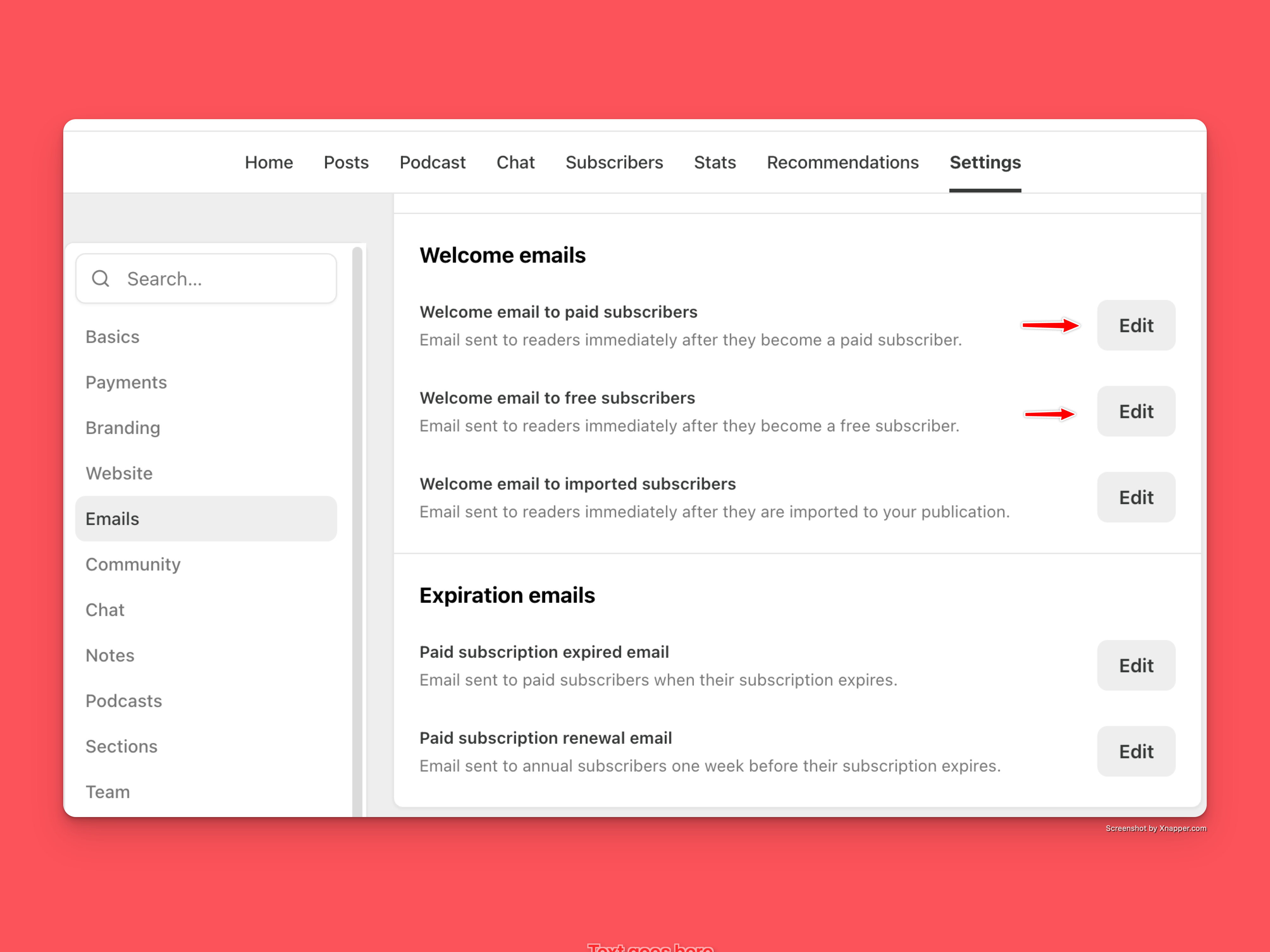
1. Click Dashboard → Settings → Emails → Welcome Emails → Edit.
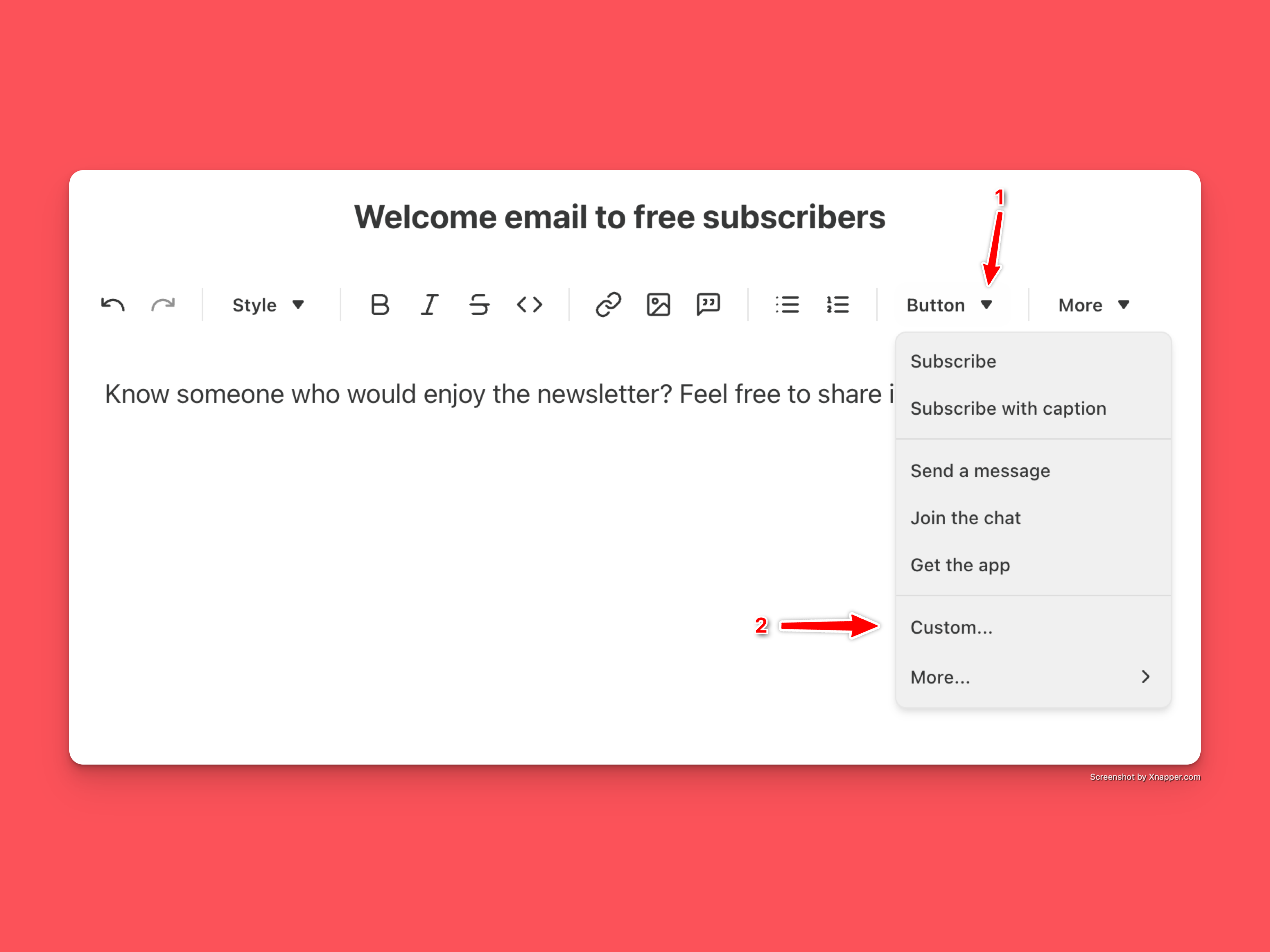
2. Click BUTTON, and from the dropdown menu, choose CUSTOM.
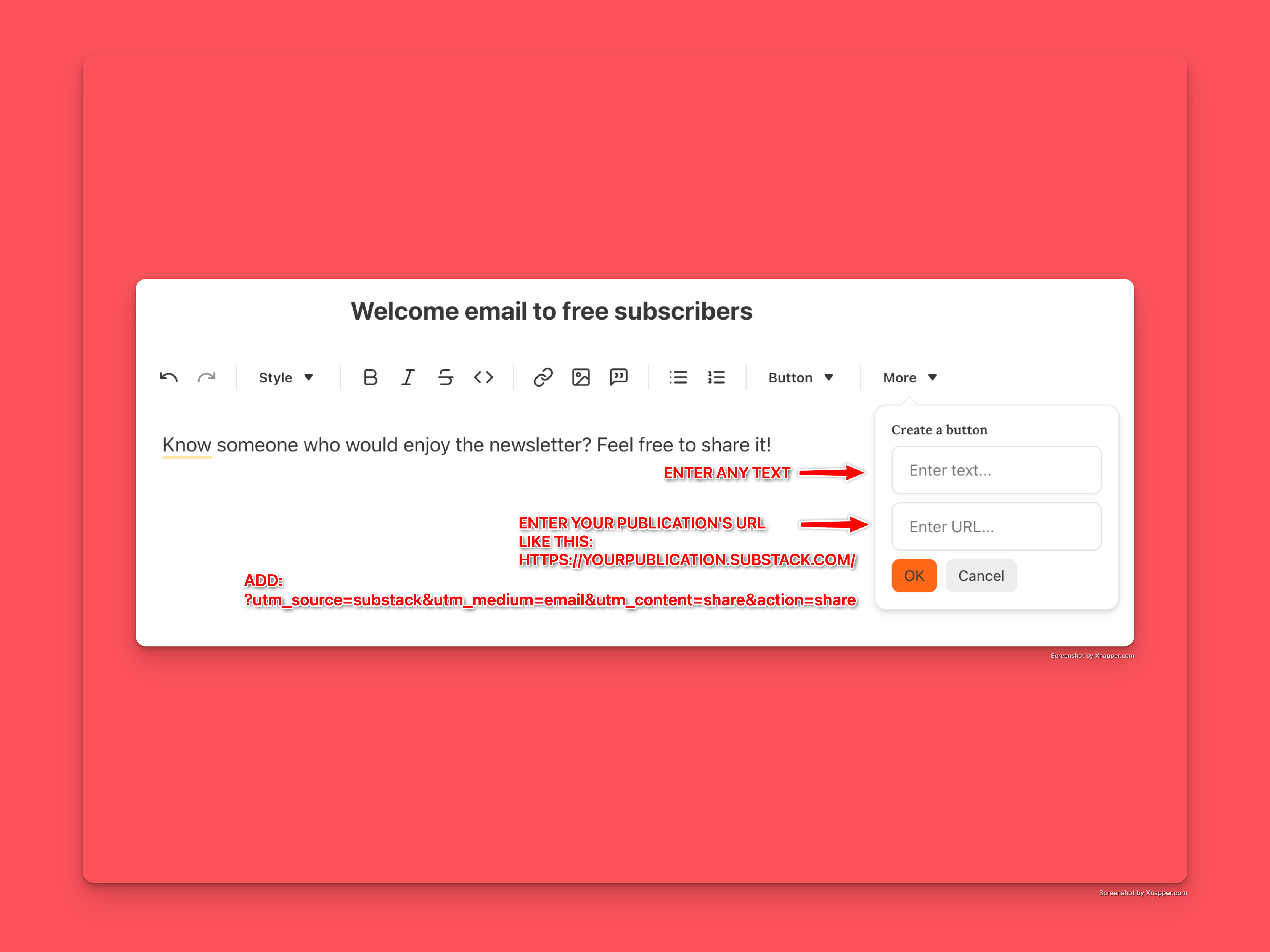
3. A pop-up window will open:
• In the ENTER TEXT field, write whatever you want your button to say.
• In the ENTER URL field, enter your publication’s address (go to your homepage and copy the URL).
It should have the following format:
https://yourpublication.substack.com/
For example, mine is: https://saneproductivity.substack.com/
• After your publication’s address, add the following line:
?utm_source=substack&utm_medium=email&utm_content=share&action=share
4. Click OK.
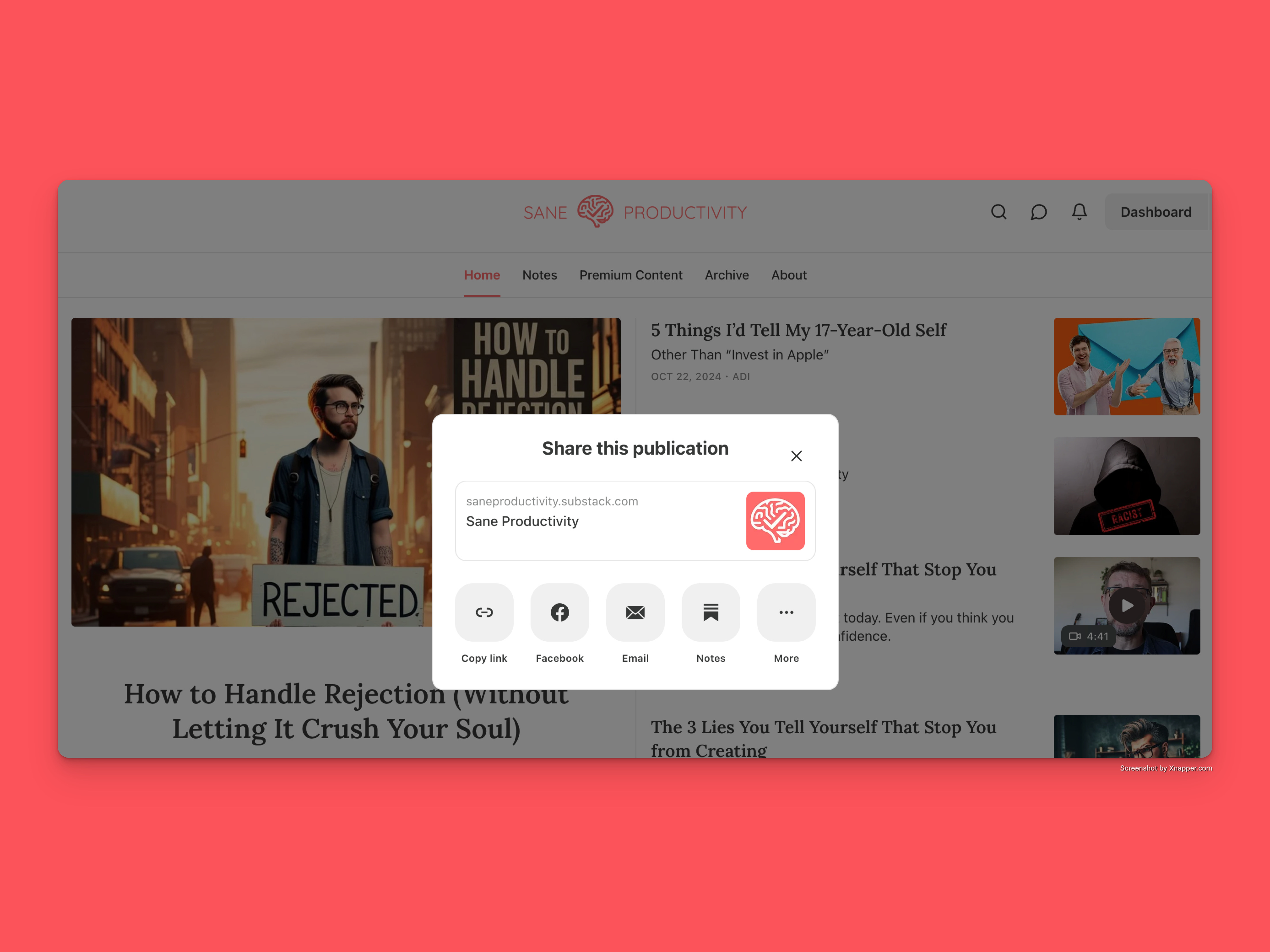
When someone clicks the button in the welcome email, your homepage will open, along with a pop-up window with sharing options.
Substack is a great platform—we can all agree. But sometimes, you stumble upon a problem so illogical that you think it’s a bug. This one isn’t a bug; it’s a feature. Or rather, the lack of one.
Enjoy!
Yours sanely,
Adi
You solved a problem I was trying to hack myself. Thank you!
On a somewhat related note do you know how to generate a "follow me" button? Thanks in advance!